Every booth, in your pocket
The whole dashboard works on your phone. See how every booth is doing, change a setting, fix a design, and get a message the moment a booth needs you.
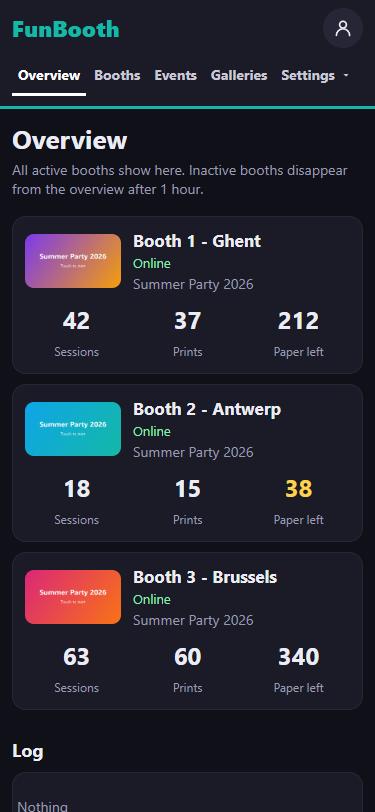
All your booths at a glance
One screen with every booth that is out tonight: is it online, which event runs, how many sessions and prints so far, and how much paper is left.
- Paper running low turns yellow before it runs out
- A booth that goes offline says so, with how long
- One combined log of all your booths below
Know it before your client does
The booth reads its printer and camera itself, all evening. When something needs you, your phone tells you right away: paper almost out, a printer problem, a camera that stopped, a booth that went offline. And again when it is solved.
- Straight to your phone, also when the dashboard is closed
- By email as well, if you want
- You choose which messages you get
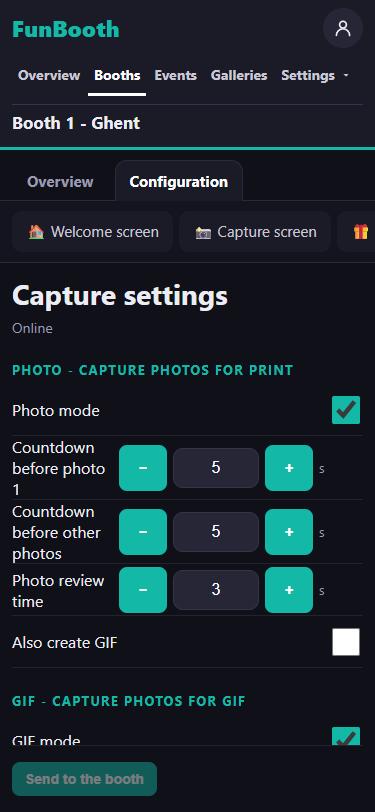
Change the booth from wherever you are
The same settings as on the booth itself, in the same place: countdowns, photo, GIF and video modes, printing, sharing, the lock screen, texts and languages. Send them to the booth and it uses them right away.
- Every page of the booth's settings, also on a phone
- Security settings stay on the booth
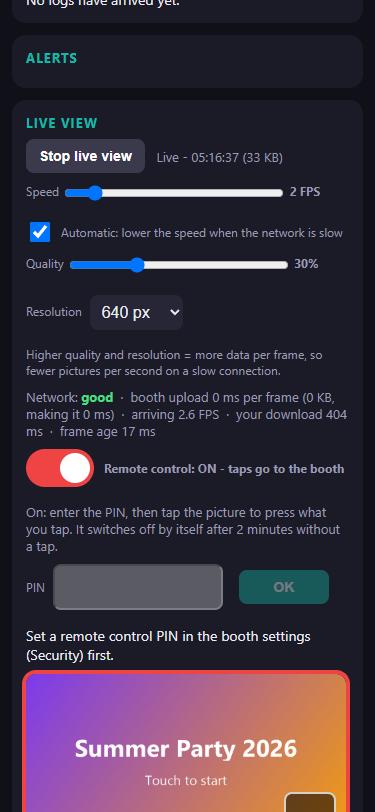
See what the guest sees, and tap for them
Open the live view and the booth's screen is on your phone, live. Switch on remote control, enter the booth's PIN, and your taps go to the booth: start a session, close a screen, help a guest who is stuck.
- Adjusts itself to a slow connection
- Only when the booth allows it, and only with its PIN
- Switches off by itself after 2 minutes without a tap
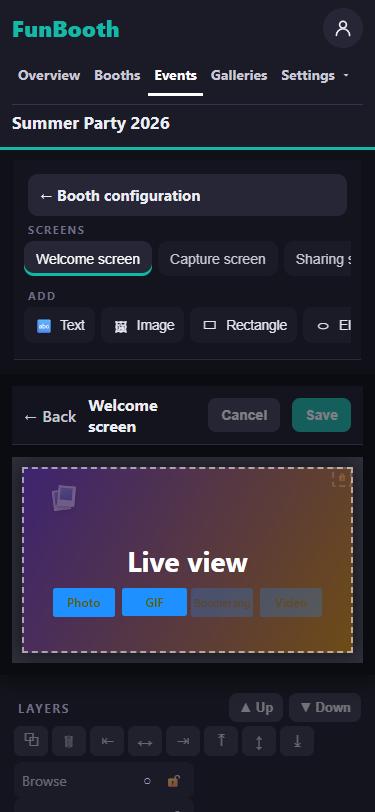
Fix a design on the way to the event
The welcome screen, the capture screen, the sharing screen and the print layouts, in the same editor as in the app. Move a button, change a text, add your client's logo from your phone's photos.
- Every booth of the event gets the new design at its next sync
- Start a new print layout from the default templates